
How to Run a Trivia Game on Your Twitch Stream
Trivia is one of the few stream segments that gives lurkers a reason to type. It is also one of the easiest to run badly — mostly because of a delay problem nobody warns you about. Here is what actually works.
TL;DR
- Set the timer to 60 seconds. Stream delay means chat sees the question after you do. The 20-second default is unplayable on stream.
- Pick a format that fits your seats. Streamer-vs-Chat needs none. A four-person panel is better television anyway.
- Capture the host window, keep the join code on screen. Latecomers can only join what they can see.
- Ask about your own stream. Questions generated about your community beat world capitals every time.
- No Twitch integration exists. This is a format you run, not a plugin you install.
Why trivia works as a segment
Most chat-interaction ideas fail for the same reason: they ask people who are watching quietly to suddenly become performers. Trivia does not. It asks a question with a right answer, which is the lowest-effort thing a lurker can respond to — no opinion required, no personality required, just the answer, and typing it feels like participating rather than performing.
It also produces the two things a stream runs on. It generates reactions worth clipping — being confidently wrong on camera is reliably funnier than being right — and it fills the dead air between queues, updates, and technical problems with something that is actually about your community rather than a holding screen.
First, the delay problem
This is the thing that quietly ruins most trivia segments, and it is worth understanding before you run one.
Your viewers are behind you. Depending on their settings and your latency mode, chat sees your stream somewhere between two and twenty seconds after it happens. So when a question opens with a 20-second timer, a chunk of your audience receives it with eight seconds left, and some receive it after it has already closed. They are not slow. They are watching the past.
The fix
- Raise the question timer. Quiz8 lets the host set it anywhere from 5 to 60 seconds. On stream, use 60. It feels slow to you and correct to everyone else — you are the only person in the room without a delay.
- Turn on low latency mode in your Twitch stream settings. It will not eliminate the gap, but it narrows it considerably.
- Read the question out loud, then pause. Your voice carries the question to viewers who are looking away, and the pause gives the delayed half of your chat a chance to catch up.
- Never count down from five. By the time your chat hears "five", the question is closed. Announce that time is nearly up, then wait longer than feels natural.
Get this one setting right and the segment works. Leave it at the default and your chat will conclude the game is broken, which — from where they are sitting — it is.
What this is not
Quiz8 has no Twitch integration. There is no bot, no extension, no channel-points hook, and no Twitch login. Nothing reads your chat and nothing writes to it.
That is worth saying plainly, because it changes what you should expect. This is a browser game you capture in OBS and talk over — closer to running a board game on camera than to installing a plugin. The interaction comes from you, and the tool's job is to keep producing questions so you never run out of segment.
The upside of having no integration is that there is nothing to set up, nothing to authorise, and nothing that breaks when an API changes.
Four formats, by how many seats they cost
A free Quiz8 room seats 42 players. The formats below are sorted by what they actually need — and the smallest one happens to be the best-looking on camera.
Streamer vs Chat
No seats neededBest for: Any chat size, from 5 to 5,000
How it runs. You are the only one in the game. You read each question out loud, chat races to type the answer, and you answer on screen. Chat plays on the honour system — nobody is scoring them, and it turns out nobody minds.
Why it works. The purest version of the format and the one that scales infinitely, because chat never touches the room. It also makes you the entertainment: your reasoning out loud, your wrong turns, and chat correcting you is the segment.
The Panel
4 seats + youBest for: Building recurring characters in your community
How it runs. Take four people from chat into the actual game — first to type, a raffle, or a standing invite. Everyone else watches the leaderboard and backseats furiously.
Why it works. A small cast is better television than mass participation. Two hundred anonymous scores is a spreadsheet; four named people you can talk to while they lose is a show. The audience needs someone to root for.
Mods & Regulars League
Same 4 seats, same peopleBest for: Weekly segments with a running story
How it runs. Same panel every week, and you keep the running total yourself in a doc or on a panel. Quiz8 does not track a league across sessions, so this part is on you.
Why it works. Continuity is what turns a segment into an appointment. People come back for the standings, not the questions.
Everybody In
41 seats + youBest for: Raids, collabs, subathons, milestone streams
How it runs. Open the room to everyone who wants a seat and let the whole chat compete on one leaderboard.
Why it works. The room seats 42 on either plan, so a full chat segment can run free.
Getting it on screen
There is no dedicated broadcast layout, so capture the host window like any other source. Three things matter more than the layout you choose:
- Keep the join code visible the whole segment. People arrive mid-stream. If the code left the screen after the first question, everyone who showed up late is an observer whether they wanted to be or not.
- Use the host view for questions, and switch deliberately. The host screen and the player screen show different things — know which one is on camera before you reveal an answer.
- Make the answers readable at phone size. A large share of your viewers are watching on a phone, where your beautifully composed overlay is the size of a business card.
If you would rather not think about it: full-screen the host window, put your camera in a corner, and start. The segment works without production value.
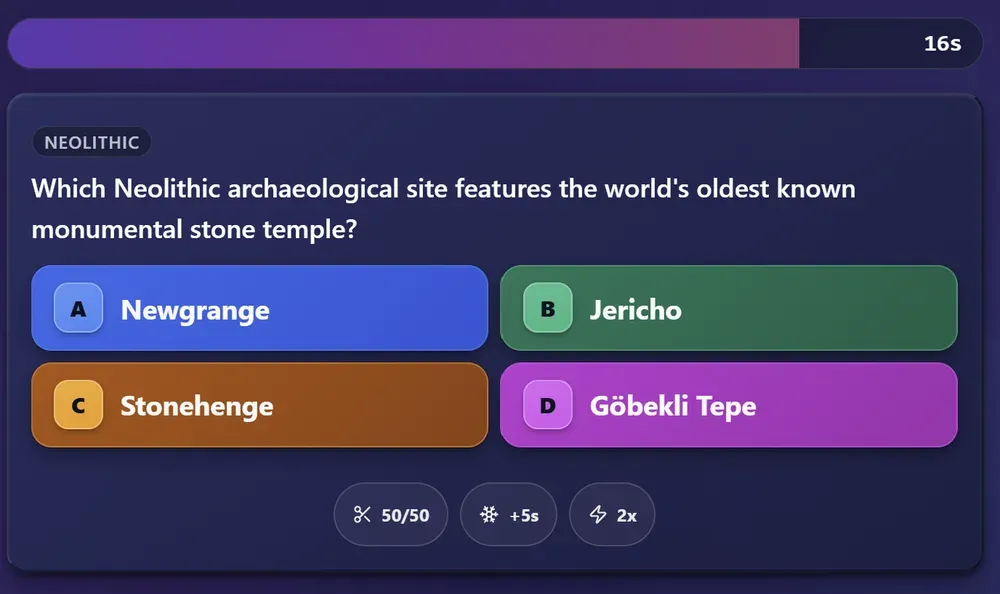
Topics: the part that actually matters
A trivia app with a fixed question bank gives every streamer the same segment. The questions here are generated from a topic you type, which means the interesting move is to stop typing categories and start typing your own stream.
- The game you actually play. Not "video games" — the specific game, the specific patch, the specific lore nobody outside your channel cares about.
- The thing your chat will not shut up about. Every community has one. Make it a category and watch the message rate.
- Something you are visibly bad at. Being beaten by your own chat is better content than winning.
- One wildcard. A topic nobody expected keeps the format from calcifying into a bit.
You can also set the difficulty. Easy questions keep everyone in it; hard questions are funnier because confident wrong answers arrive faster. For a first run, medium is the safe choice — then adjust once you have seen how your chat does.
Your first segment, start to finish
- Before you go live, create a room, set the question timer to 60 seconds, and pick two topics — one about your stream, one wildcard.
- Announce it once, early. "Trivia after this match" gives lurkers time to decide they want in.
- Put the code on screen and say it out loud. Then say it again, because half your chat was reading something else.
- Wait longer than you want to before starting. The delay means people are still arriving after you think everyone has.
- Read each question aloud. Do not rely on people reading it off the stream.
- Talk through the leaderboard between questions. The scores are the story — name names.
- End on the final standings and say when the next one is. That sentence is what turns one segment into a recurring one.
Questions streamers ask
Does Quiz8 connect to my Twitch chat?
No. There is no bot, no extension, and no Twitch login — nothing in Quiz8 reads or writes your chat. It is a browser game you capture like any other window, and the interaction happens because you are talking to chat, not because software is bridging the two. If you were hoping to drop in an extension and walk away, this is not that.
How many viewers can actually play?
A room seats up to 42 players on either plan. That is enough for a whole chat segment, and the best-looking formats only use four seats anyway.
Do my viewers need an account?
No. They open the site, type the code and a nickname, and they are in. No sign-up, no download, no email. That matters more than it sounds — every extra step between "join the game" and actually playing costs you most of the people who were going to try.
Can I make questions about my own stream?
Yes, and it is the reason to bother. The questions are generated from a topic you type, so you can ask for your own game, your community's running jokes, or the lore of whatever you have been playing for six months. A generic trivia database cannot do that, and a question about your own stream lands differently than a question about world capitals.
How long does a segment take?
A free match can have up to 20 questions. For a shorter eight-question game at a 60-second timer plus reading and reactions, budget roughly 10 to 15 minutes — about the length of a break between game queues, which is where most people slot it.
Is it free?
The free tier covers 20 questions, 10 topics and 42 seats per match, and it carries ads. Pro removes ads and adds event and history tools. All four formats above run entirely on the free plan.
Try it on your next stream
Set the timer to 60 seconds, type a topic about your own channel, and put the code on screen. That is the whole setup.
Create a RoomFree to host • Viewers join with a code, no account
Coming from a game that shut down? Read the Trivial Pursuit Infinite comparison, or see how Quiz8 compares to other quiz tools.