Turn the Lesson You Just Taught
Into a Live Quiz
Type the topic while it is still on the board. The questions are written for it, the class joins from their own devices with a code, and every answer is followed by the reason it was right.
Any topic, new questions every time • An explanation after every answer • No student accounts
What the Ten Minutes Look Like
From the end of your explanation to the end of the game.
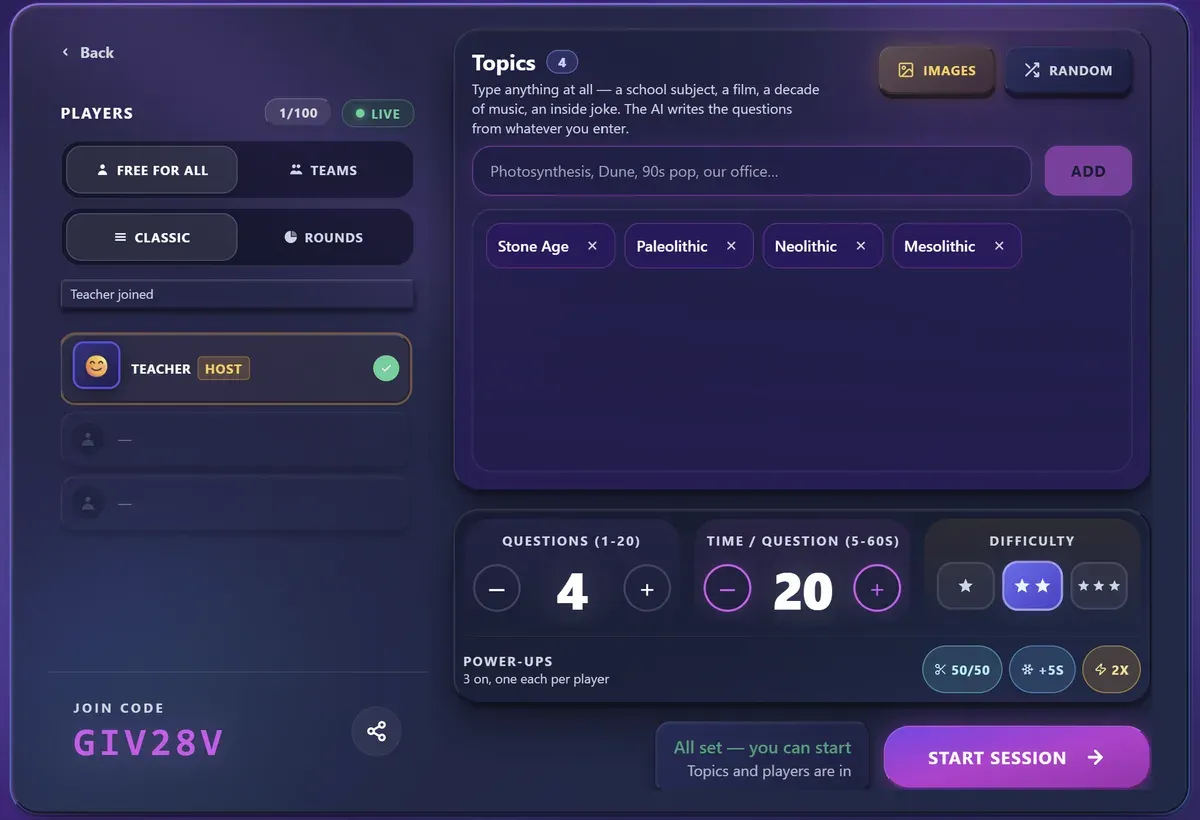
You type the topic
Not a question bank to search, not a form to fill: a line of text. "Photosynthesis", "Latin declensions", "the Treaty of Versailles". Add a second topic if the lesson covered two things.
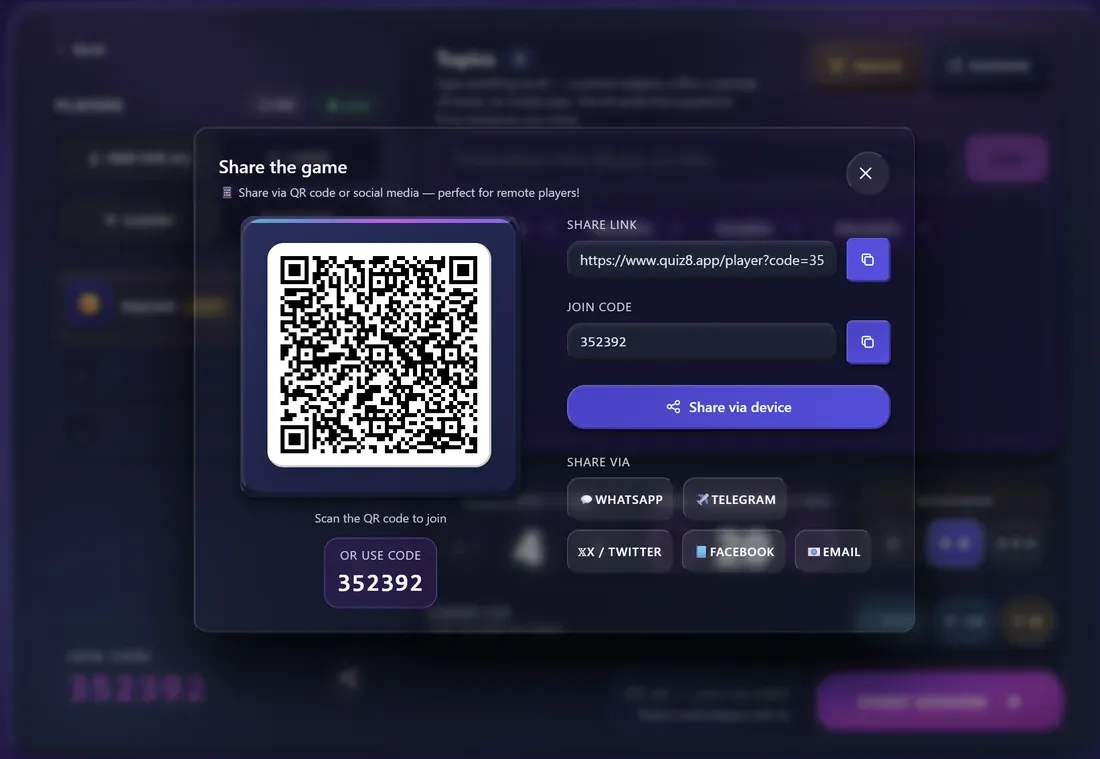
The class joins in seconds
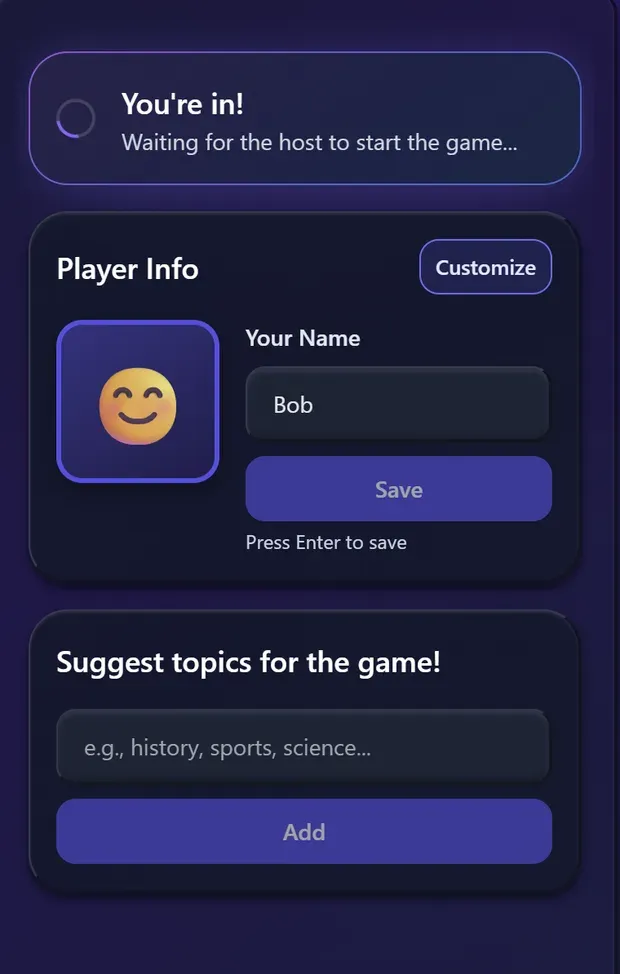
A six-digit code and a QR go up on the projector. Students scan or type it, pick a nickname, and they are in — no account, no email, no app on a school device.
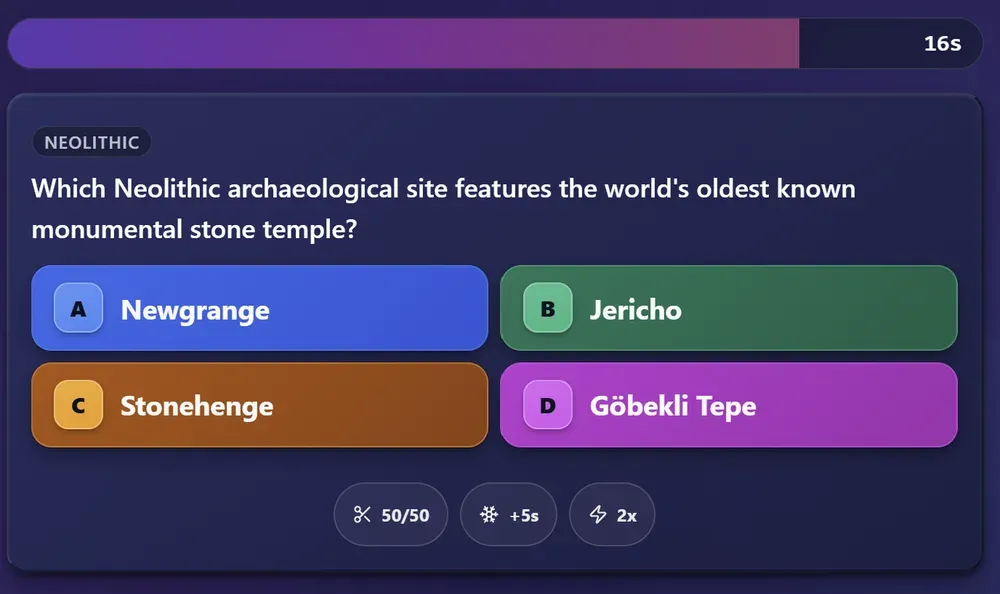
You run it from your screen
You see the question before they answer it and you decide when to move on. There is a skip-timer control for when the room has clearly finished, and an auto-advance if you would rather it run itself.
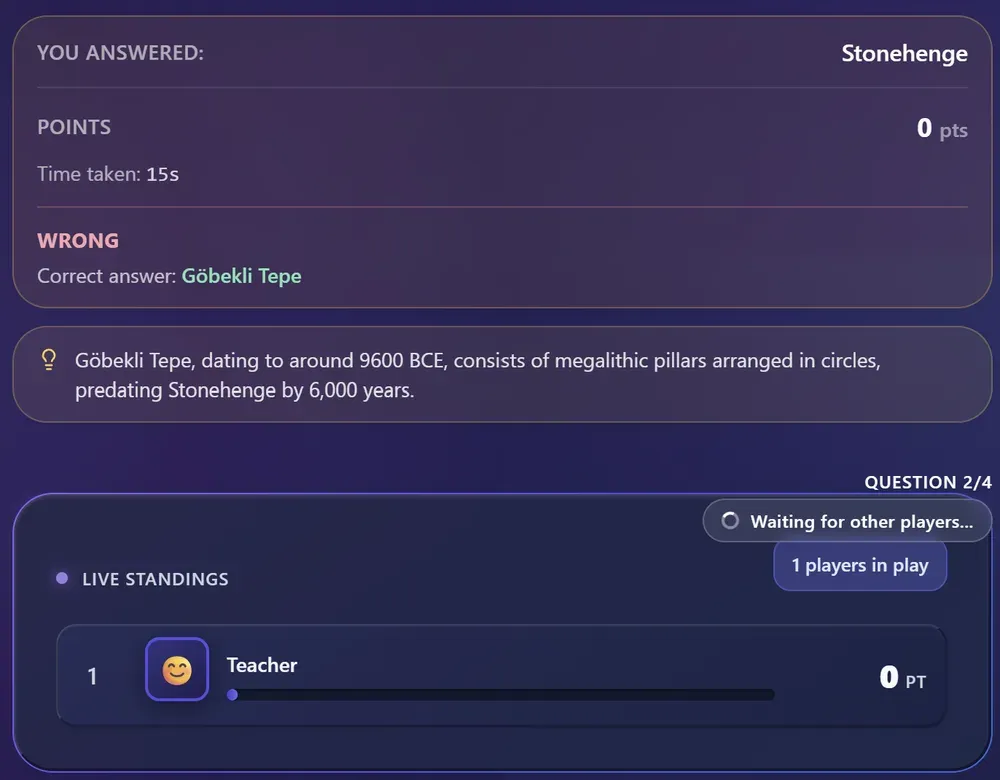
Every answer gets explained
When the timer stops, the correct answer appears with a sentence saying why. That is the moment the quiz stops being a game and starts being a lesson.
The Questions Never Run Out
There is no library here to browse, and nothing to exhaust. When you start a game the questions are written for the topic you typed, right then, and a game you run next month on the same chapter will not be the one you ran today. Run as many as you like — there is no cap on how many games you play or how many subjects you cover.
Any subject you can name
Free text, not a category list. If you can write it on the board, it can be a quiz.
Written in seconds
A round of eight questions comes back in under ten seconds, so you can decide to run a quiz after the lesson has already ended.
Never the same quiz twice
Each game avoids what the previous ones asked, so the same class can revise the same chapter more than once.
Topics teachers have typed in:
- Photosynthesis
- Latin declensions
- The Cold War
- Fractions
- The water cycle
- Romeo and Juliet
- The periodic table
- Ancient Egypt
One game holds a set number of questions — the FAQ below says how many. What has no limit is how many games you run and what they are about.
The Part That Does the Teaching
Most quiz tools tell a class which answer was right. After each question, the correct answer appears together with the reason behind it — on your screen and on theirs. A wrong answer becomes the most useful thirty seconds of the review, because the whole room is already paying attention to that exact question.
Caesar crossed the Rubicon in January 49 BC, which started the civil war against Pompey and the Senate.
How an explanation appears after the answer.
What You Set Before You Start
Four controls, all in the lobby, none of them required.
Any topic, in your words
Free text, not a category list. A subject, a chapter, a novel, a decade of history — whatever you actually taught.
Difficulty
Easy, medium or hard, so the same topic works for a first year and a final year.
Seconds per question
Anywhere from 5 to 60 seconds, 20 by default. Short for recall, longer when the question needs reading.
Who advances the questions
You, from your own screen, or an automatic timer if you want to keep your hands free.
The Questions Are Not All the Same Shape
Variety is what stops a review from feeling like a worksheet.
Multiple choice
Four options. The standard shape, and the fastest to answer under a timer.
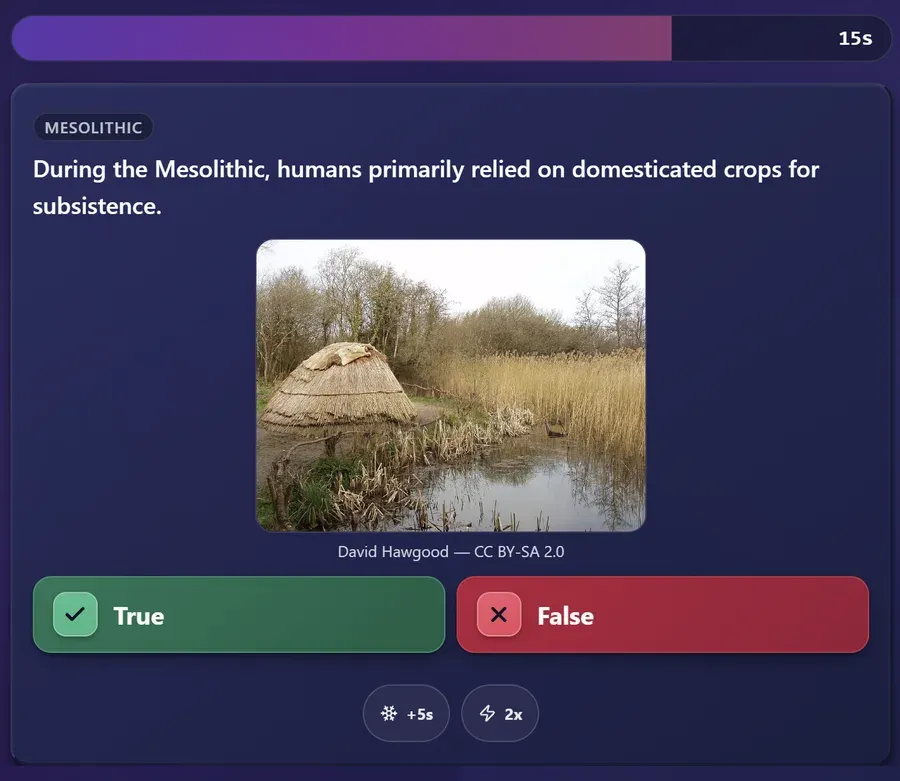
True or false
A statement to judge. Useful for misconceptions you want to surface deliberately.
Put them in order
Events, steps, magnitudes. Tests whether a sequence was understood rather than memorised in pieces.
Questions with an image
Some questions carry a picture — a flag, a map, a painting — so the class reads something rather than only text.
Keeping the Room With You
The mechanics that stop attention drifting at question five.
Rounds with a break
A longer game splits into rounds. Between them there is a pause with the round winner on screen, which is a natural place for you to say something before continuing.
The risk question
One question mid-game is worth double — but getting it wrong costs points. It reliably wakes up the students who had stopped trying.
The last one counts double
The final question is worth twice as much, so a student who fell behind early still has a reason to answer it.
A live leaderboard
Scores update on the projected screen after each question, with a bonus for answering quickly.
Students never create an account — they join with the code and a nickname.
After the game there is no student profile left to manage or delete.
Compared With the Other Classroom Tools
How the common quiz platforms differ on what a school actually checks.
Classroom quiz platform comparison
| Platform | Free | Player Limit | No Sign-Up | AI Questions |
|---|---|---|---|---|
| Quiz8 | 42 | |||
| Kahoot | Partial | Limited | ||
| Quizlet Live | Partial | ~30 | ||
| Mentimeter | Very limited | Unlimited* | ||
| Blooket | Partial | ~60 | ||
| trivia | Partial | 10 |
* Mentimeter allows unlimited viewers but limits quiz questions on the free plan.
Each platform name links to its own pricing page, where the figures in this row can be checked. Last verified 1 September 2026.
When Teachers Reach For Quiz Games in the Classroom
It suits a review better than a graded test — that is a design choice, not a gap.

End-of-Lesson Review
Five minutes to check what actually landed
Warm-Up
Recall last week before starting something new
Revision Before a Test
A low-stakes run over the material

Substitute Lessons
A structured activity prepared in two minutes

Open Days
Something visitors can join without an account

Language Classes
Questions are generated in the language you are teaching in
Questions Teachers Ask
Do my students need to create an account?
No. Students open the join page, enter the game code and choose a nickname. There is no registration, no email address and no app to install. This is the main practical difference from Kahoot, Quizizz and Blooket in a school.
What data do you collect about my students?
The nickname a student types, and their answers during the game. No email, no surname, no school and no account. Nothing identifies a student after the game ends, so there is no student record for the school to manage or delete.
How many students can join one game?
Every game seats up to 42 students, free or Pro. Students never pay or need an account.
How many questions does one game have?
Up to 20 questions and 10 topics per game for everyone, free or Pro.
Are there ads during the game?
On the free plan, yes. The Pro plan removes them. If your school does not allow ad-supported tools in the classroom, Pro is the version to use.
Can I use this for a graded assessment?
It is built for review rather than grading. Scores appear on the live leaderboard during the game, but there is no gradebook, no per-student report and no export to a school system. Teachers use it for end-of-lesson checks and revision, not for recorded marks.
Who writes the questions, and can I trust them?
They are generated from the topic you type, which is why preparation takes about a minute. Read them before class: they are written by AI and, on a very specialised or very recent subject, one can be wrong. On a topic that rests on public record they hold up well.
Does it work on school Chromebooks and tablets?
Yes. It runs in a browser, so there is nothing to install and no device management involved. Students join by code or by scanning the QR code shown on the projector.
Can I run a quiz in Italian?
Yes. Questions are generated in the language of the interface, so an Italian lesson gets Italian questions.
Coming from another tool? See how Quiz8 compares to Kahoot.
Try It With Your Next Lesson
Type the topic you just taught and put the code on the board. It takes about as long as writing the date.
No student accounts • No card • Ready in two minutes
Last updated