Classroom Games That Work, and How Long Each Takes
Most lists of classroom games do not tell you the two things that decide whether you use one: how long it actually runs, and what it costs you to set up. Sorted here by exactly that — starting with the ones that need nothing at all.
The one thing that decides if it works
Not the game. Whether every student answers, or only the ones who volunteer.
A whole-class shout-out format produces the same three voices in every room in the world, and no amount of “let's hear from someone new” changes that. Formats where everyone answers at once, or where the turn moves round the room mechanically, get answers out of students who will never raise a hand. That is a structural property, and it is the first thing to check about any game on any list.
Games that need no preparation and no screen
These need the lesson you just taught and nothing else. Useful when a lesson finishes early, and better than they sound — three of the four make students argue, which is where you find out what the room actually misunderstood.
Two Truths and a Lie, about the topic
5 minThree statements about what you just taught. Two right, one wrong. Students vote, then argue about which is which.
The arguing is the revision. It surfaces the misconception you did not know the room had, which a right-answer check never does.
Last Word Standing
3-4 minGo round the room; each student names one thing from the lesson. No repeats. You sit down when you cannot.
Forces recall from everyone, not the front row. Runs down naturally, so it cannot overrun.
Wrong on Purpose
5-10 minYou explain the topic again and get four things wrong. Students note each error and correct you at the end.
It flips who is being assessed, which is why the quiet half of the room joins in. Also genuinely funny if you commit to it.
Twenty Questions, subject edition
5 minYou think of a term, concept or figure from the unit. Yes/no questions only.
Teaches students to narrow a category, which is a skill, not just recall. Works as a filler with three minutes left.
Games that use the board or a device
More setup, more payoff — and each one has a failure mode worth knowing before you stand in front of thirty people with it.
Live quiz on the projector
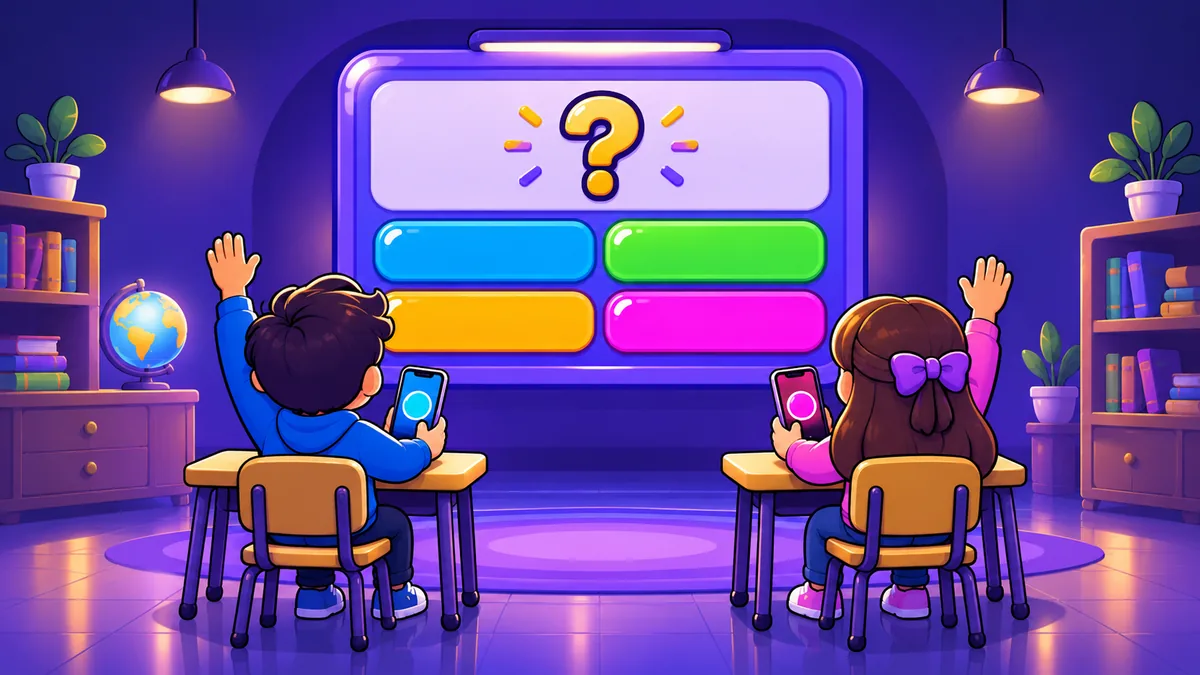
10-20 minQuestions on the board, students answer on their own devices, live scores between questions.
The format everyone knows, and it earns its place: everyone answers every question, so it is the only one on this page that gives you a per-student record.
Watch out: It rewards speed as well as correctness, so the fastest reader wins ties. Fine for revision, wrong for assessment.
Category race
5-10 minTeams race to list as many valid items in a category as they can in ninety seconds. Shared doc or the whiteboard.
Scales to any class size and needs no software. The scoring argument afterwards is half the value.
Watch out: One student can carry a whole team while three watch.
Image guess
5-15 minA picture on the board, zoomed in or partially covered. Reveal slowly; first correct answer scores.
Strong for geography, biology, art and history, where the thing itself is the content.
Watch out: Needs images you actually have the right to show.
If you run the quiz one
This is the slot Quiz8 fills, so treat the rest of this section as interested advice — though the parts that matter most are true of whichever tool you pick.
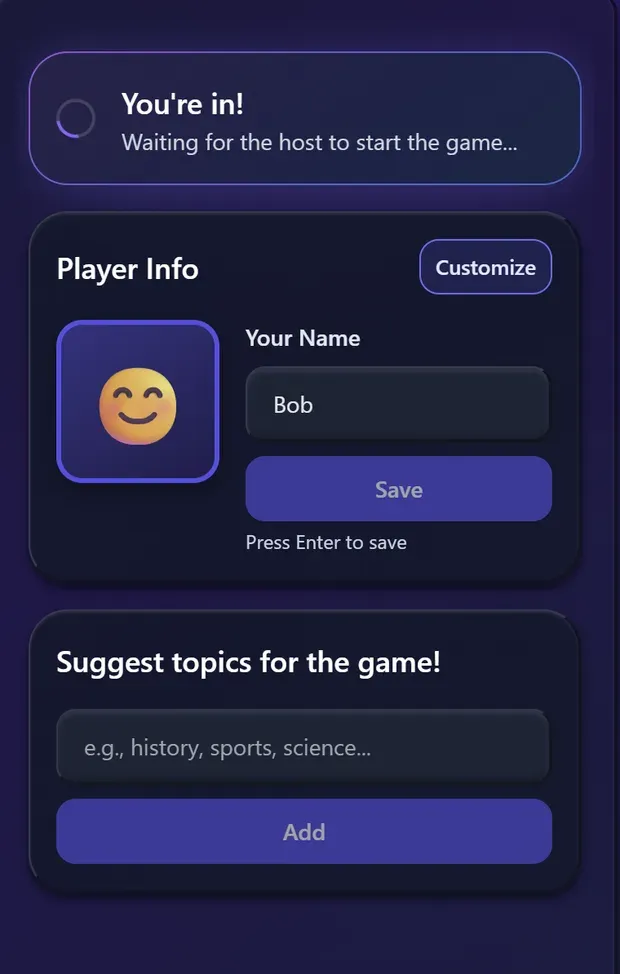
Students should not need accounts. The moment a classroom tool asks thirty children to register, it stops being a decision you can make on a Tuesday and becomes a data-protection question for your school. Students join a Quiz8 game with a code in a browser — no account, no app, no email addresses.
Set the timer deliberately. Anything from 5 to 60 seconds a question. Ten seconds makes it a reflex test and gets loud; forty gives a class time to reason, which is what you want for anything beyond recall. The default is a compromise, not a recommendation.
Let them suggest the topics. Students can add topic suggestions from their own screen before the game starts. It takes thirty seconds and it changes who is invested — a round with one student's suggestion in it has that student in it too.
A room seats 42 on every plan. For a class over 42, teams on shared devices can be a better format: it produces discussion between students instead of thirty silent scores.
How long to give it
Decide the length before you start, and hold it. The failure is not a game that flops — a flop is over in four minutes and you move on. The failure is a game that is working, so it gets extended, and a ten-minute activity eats twenty-five while the thing you actually planned does not happen.
3–5 minutes. No-prep formats only. Nothing that needs setting up.
10–20 minutes. Worth the screen. This is where a quiz format earns its place.
Whatever you like. Nobody is learning anything and everybody knows it.
Questions teachers ask
What are the best classroom games that need no preparation?
Wrong on Purpose, Last Word Standing, Two Truths and a Lie about the topic, and Twenty Questions using terms from the unit. All four need nothing but the lesson you already taught, all four run in under ten minutes, and all three of the first ones surface misconceptions rather than just checking recall.
How long should a classroom game last?
Five to fifteen minutes for a review game, and shorter than you think. The most common mistake is a game that is genuinely working and gets extended, which is how a ten-minute activity eats twenty-five and the lesson does not land. Set a length before you start and hold it.
How do you stop the same three students answering everything?
Structure, not encouragement. Games where everybody answers simultaneously on their own device, or where the turn moves round the room, get participation from students who will never put a hand up. Whole-class shout-out formats reliably produce the same three voices no matter how you phrase the invitation.
Do students need accounts or an app for a classroom quiz game?
They should not. With Quiz8 the teacher creates a game and students join with a code in a browser: no account, no app, no email addresses collected. That matters beyond convenience, because the moment a classroom tool asks for student accounts it becomes a data-protection question for your school rather than a decision you can make on a Tuesday.
How many students can play at once?
Every Quiz8 room seats up to 42, free or Pro. For larger groups, running it in teams on shared devices produces discussion between students instead of silent individual scores.
Are classroom games actually worth the lesson time?
A review game is worth it when it tells you something a worksheet would not, which usually means the format makes disagreement visible. If the game only confirms that the students who already understood the topic still understand it, the time would be better spent elsewhere.
Try the quiz one on your next review lesson
Type the unit you just finished as the topic. The questions get written for you, and students join with a code — no accounts, nothing to install.
Create a GameFree to host • No student accounts • Up to 42 in a free room
More for teaching: quiz games for the classroom, or what the AI actually does with your topic.